
Delta Executor / Safety
Is Delta Executor Safe?
Delta Executor can be checked safely before installation by matching the exact package to its download record. Confirm the platform, SHA-256 fingerprint, signing identity, scan result, and requested permissions.
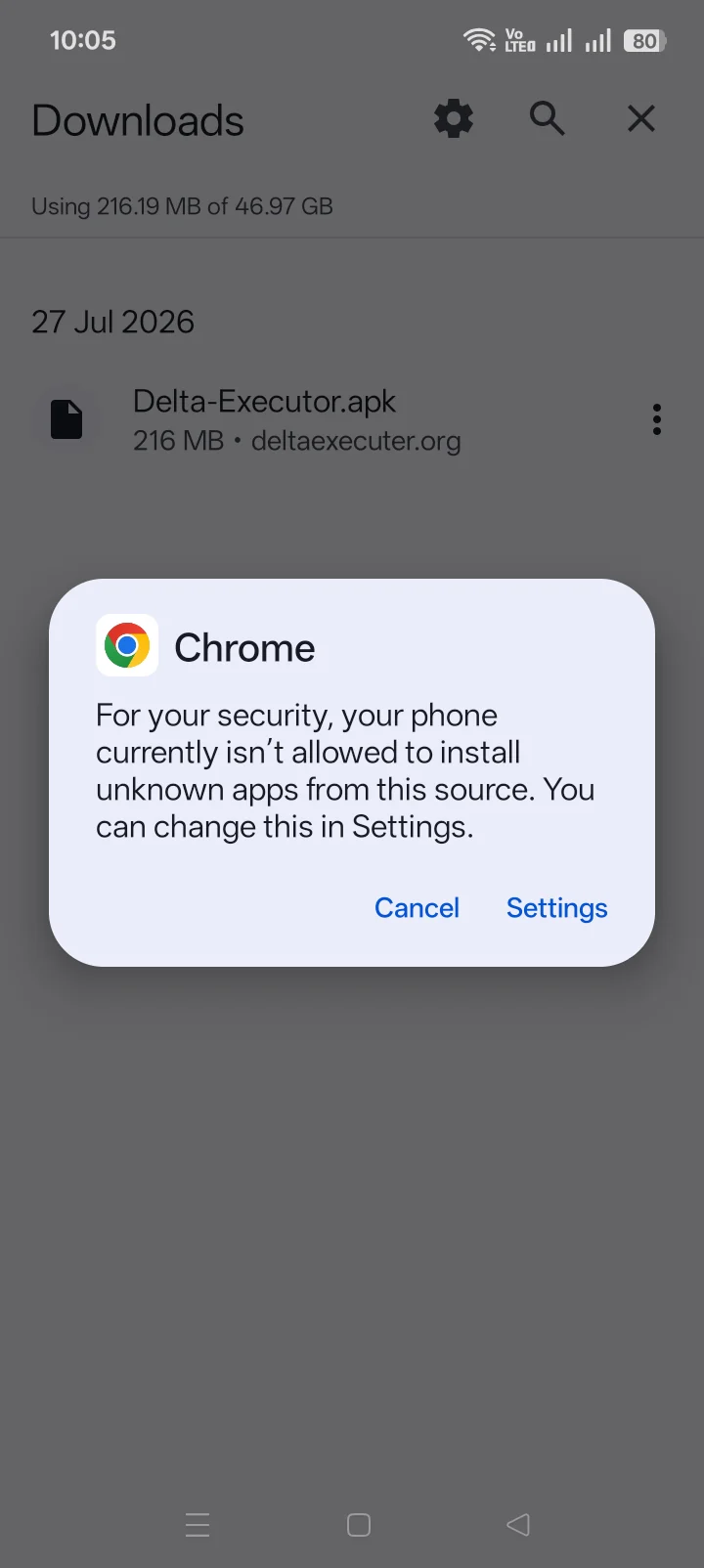
When those fields match, you have a clear basis for the installation decision. When one differs, return to the download page and choose the recorded package. Keep Play Protect, antivirus, and browser protection enabled during the check.
Delta Executor safety verdict
| Risk area | Current verdict | What resolves it |
|---|---|---|
| Source provenance | Requires verification | A traceable release route and consistent package identity. |
| File integrity | Exact-file decision | A matching SHA-256, valid signature, and scan tied to that hash. |
| Permissions and behavior | Device-specific | Permissions limited to the stated function and no unexplained background activity. |
| Key-page privacy | Provider-dependent | No password, authentication-cookie, payment, app, extension, or notification requirement. |
| Executed scripts | Separate code risk | Readable code from a known author and no credential or remote-loader behavior. |
This verdict does not claim that the current Delta package contains malware. It also does not clear a package that has not been tied to exact evidence. “No proof of malware” and “proven safe” are different statements.
What should the package record show?
A safety claim needs evidence that identifies one file. The minimum record contains:
- Version and platform: Android, Android VNG, iOS, or another documented package.
- File size: useful for spotting an incomplete or unrelated download.
- SHA-256: a 64-character fingerprint calculated from the package.
- Package or bundle identifier: the application identity read from the file.
- Signing identity: the certificate or signer attached to that package.
- Scan URL and date: a report that resolves to the same SHA-256.
- Detection breakdown: exact labels and engines, not a cropped green badge.
A scan count without the hash cannot be connected to the downloaded file. A hash without a trusted comparison value only identifies the file; it does not establish who produced it or what it does.
Check the Delta package before installing it
- Open the site’s Delta Executor download page and select the correct platform.
- Download the package without opening it.
- Calculate its SHA-256 or use the operating system’s file-information tool.
- Compare every character with the fingerprint published for the current package.
- Confirm the package identifier and signing identity match the same release record.
- Open the linked scan report and confirm that its hash matches the file.
- Read every detection label and permission request before deciding to install.
A mismatch ends the check. Downloading the same filename again from the same route does not explain a different fingerprint. A changed package needs a new release record, signature, and scan.
Does an antivirus warning prove Delta is malware?
No. A warning is evidence that a security engine detected a signature or behavior. It is not enough, by itself, to prove malicious intent. The opposite is also true: a low detection count does not prove safety.
Labels such as Riskware, HackTool, Trojan, PUA, or generic machine-learning detections have different meanings. Read the exact label, the engine, the file hash, and any behavior report. Do not dismiss every warning as a false positive because the software changes another process.
False positive is a file-specific conclusion. It requires evidence that explains the flagged behavior and rules out credential theft, persistence, hidden downloads, remote control, and unrelated payloads. A site cannot declare every future version a false positive in advance.
Keep Play Protect and other security controls enabled. Google states that Play Protect checks sideloaded apps, warns about harmful behavior, and can block or remove harmful applications.
What a scan report can and cannot prove
A multi-engine scan is one part of the decision. It compares the submitted file with known signatures, reputation systems, static rules, and behavior models. Results can change when engines receive new intelligence.
A clean report does not prove that every runtime path was exercised. A flagged report does not identify malicious intent without the label and behavior details. Review the Relations, Behavior, Details, and Community areas when they exist, but give the file hash and technical observations more weight than anonymous votes.
The report also has an age. Use the scan tied to the current release, then rescan the same hash when new evidence appears. Never transfer an older clean result to a replacement file with a different SHA-256.
Android, iOS, and PC need separate checks
Android APK
Confirm the APK signature, package identifier, SHA-256, and requested permissions. Android’s signing system detects changes made after signing because an APK modification invalidates its signature. Keep Play Protect enabled during installation.
iPhone and iPad
An iOS certificate proves that a package was signed by a certificate accepted at installation time. It does not prove the code is harmless. Certificate expiry or revocation is an operating-state issue, while bundle identity and behavior remain file-safety issues.
Windows or an Android emulator
An Android package running inside an emulator should still match the Android release record. An EXE requires its own signer, hash, scan, and provenance. Do not treat an Android result as evidence for a Windows executable.
Permissions and account credentials
| Request | Action | Reason |
|---|---|---|
| Roblox password or authentication cookie | Stop | The package or key page does not need either credential. |
| Accessibility service | Stop and review | Accessibility can read screens and control other apps. |
| Device administrator or management profile | Stop and review | This can increase control over the device. |
| Install another app or browser extension | Stop | That introduces a second unverified package. |
| Browser notification permission | Deny | Notifications are not required for a key checkpoint. |
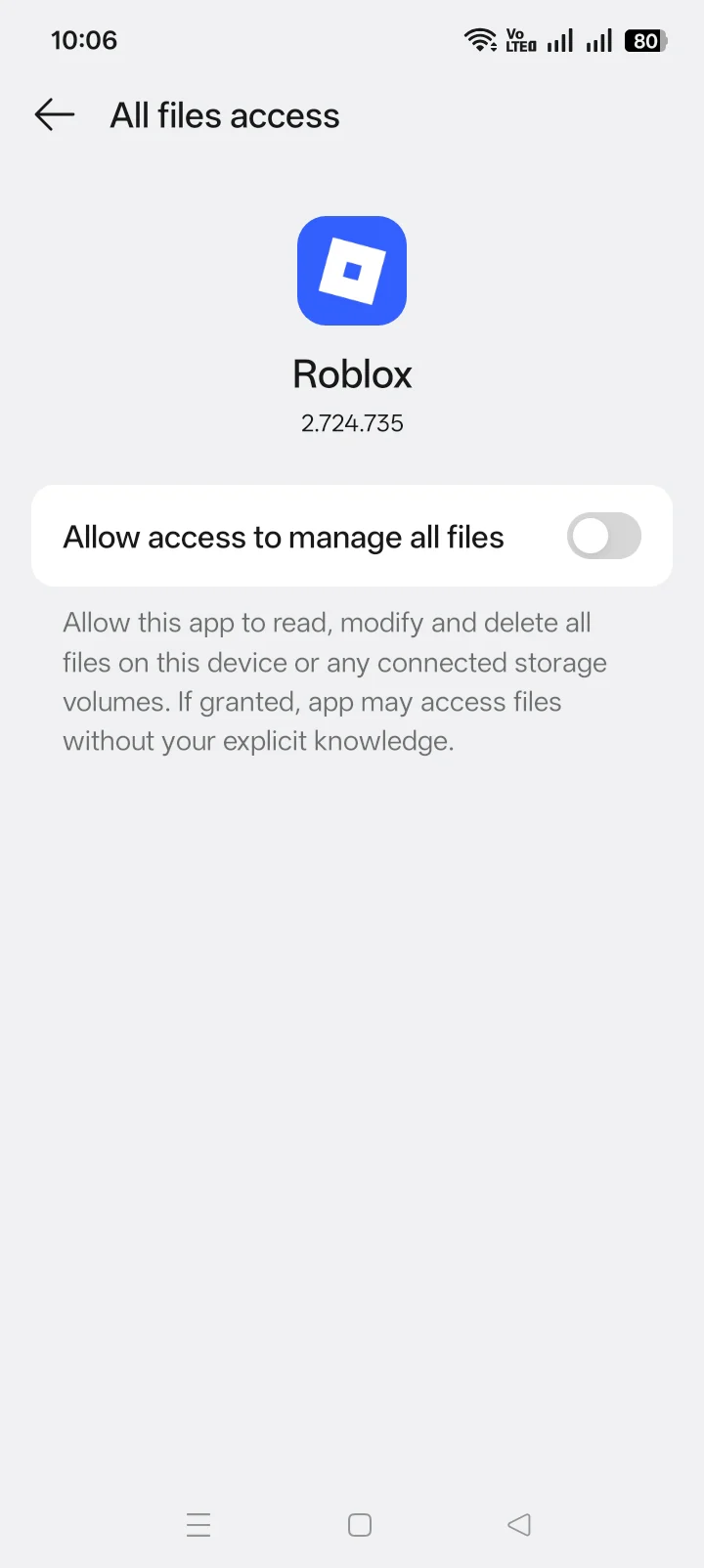
| File access | Limit | Grant only the folder scope required for import or workspace files. |
Review permissions after installation as well. A later update can request new access. An unexpected permission change requires a new safety decision even when the app name remains the same.
A clean app cannot make every script safe
Delta runs code supplied by the user. That code creates a second trust boundary. A script can fetch remote code, request tokens, transmit identifiers, alter local files exposed to the app, or change without notice when loaded from a remote URL.
Read the full script before execution. Avoid obfuscated code, paste sites with editable payloads, remote loaders whose final code is hidden, and scripts that request credentials. A popular script name or video demonstration does not establish what the current payload contains.
A simple safety check before using Delta
Use four checks: package identity, signer, scan, and permissions. The fingerprint should match the download record, the signer should match the listed identity, the scan should resolve to the same hash, and the app should request only the access needed for its stated function.
If one check does not match, return to the download page instead of forcing the installation. This is a package-selection problem, not a reason to panic or disable device protection.
For Roblox account separation, use the Delta Executor account guide. It explains how a fresh account limits account loss without mixing that decision with device safety.
Start with the Delta Executor homepage
Begin at Delta Executor and open its download page. The homepage connects the current package record, platform instructions, safety checks, key guidance, and troubleshooting without asking you to compare another Delta site.
The Delta Executor source-verification guide explains how package identity and signing continuity support that route.
Delta Executor safety FAQ
Is Delta Executor a virus?
No universal answer applies to every file carrying the name. Judge the exact package by its hash, signer, scan, permissions, and behavior.
Are antivirus detections always false positives?
No. Each detection needs file-specific analysis. Process-modification behavior can trigger warnings, but it cannot excuse unrelated malicious behavior.
Should Play Protect be disabled to install Delta?
No. Keep Play Protect enabled and investigate any warning before installation.
Does a matching SHA-256 prove the file is safe?
No. It proves the downloaded file matches the comparison record. The signer, scan, provenance, permissions, and behavior still matter.
Does using a new Roblox account protect the device?
No. Account separation limits loss on that account. It does not change package safety, permissions, malware exposure, or device security.
Roblox permission is a separate question from package safety. The Roblox executor rules explain modified-client use, private servers, creator testing, and enforcement messages.