Delta Executor VNG
Delta Executor VNG is the Android package intended for the Roblox VN client published by VNGGames. APK means Android application package—the file Android installs as an app. Choose VNG only when Roblox VN is installed. Use the current VNG download for the file, version, size, release date, fingerprint, signer, and scan details.
Keep Google Play Protect enabled. A VNG label proves client targeting; it does not prove that a downloaded file is harmless. Play Protect checks apps installed from outside Google Play and can block harmful packages.
When does the VNG package apply?
Use Delta Executor VNG when your Android phone runs Roblox VN, also called Roblox VNG. Do not choose VNG only because the phone language is Vietnamese or the device is physically in Vietnam. The installed Roblox edition decides the correct package.
| Roblox app on the phone | Matching Delta route | Reason |
|---|---|---|
| Roblox VN by VNGGames | VNG package | The package targets the regional Roblox client. |
| Roblox by Roblox Corporation | Standard Android package | The global client uses a different Android application identity. |
| Roblox VN on a 32-bit phone | VNG plus the architecture required by the current release | Roblox edition and processor architecture are 2 separate checks. |
A wrong choice often installs successfully and then fails when the executor searches for a Roblox client with a different package identity. Installation success alone does not confirm a correct pairing.
How can you identify Roblox VN on Android?
Identify Roblox VN by its app name, publisher, and Android package ID. Roblox VN carries the app label Roblox VN, the publisher name VNGGames Co., Ltd, and package ID com.roblox.client.vnggames. The global Roblox app uses com.roblox.client.
- Open Settings → Apps on the phone.
- Open the installed Roblox entry.
- Check whether the label reads Roblox VN or Roblox.
- Open the app details or store details when Android exposes the package information.
- Match the VNG route to
com.roblox.client.vnggames; match the standard route tocom.roblox.client.
Samsung One UI, Xiaomi HyperOS, Oppo ColorOS, and other Android interfaces place package details in different menus. The package ID remains the decisive value even when the Settings path changes.
How do you install Delta Executor VNG on Android?
Install Delta Executor VNG only after confirming that Roblox VN is the active client. The VNG APK follows Android’s source-specific sideloading permission: the browser or file manager that opens the APK receives install access, not every app on the phone.
- Select the VNG package from the current download route.
- Compare the displayed filename and file evidence with the downloaded APK.
- Open the APK from the browser download list or Android file manager.
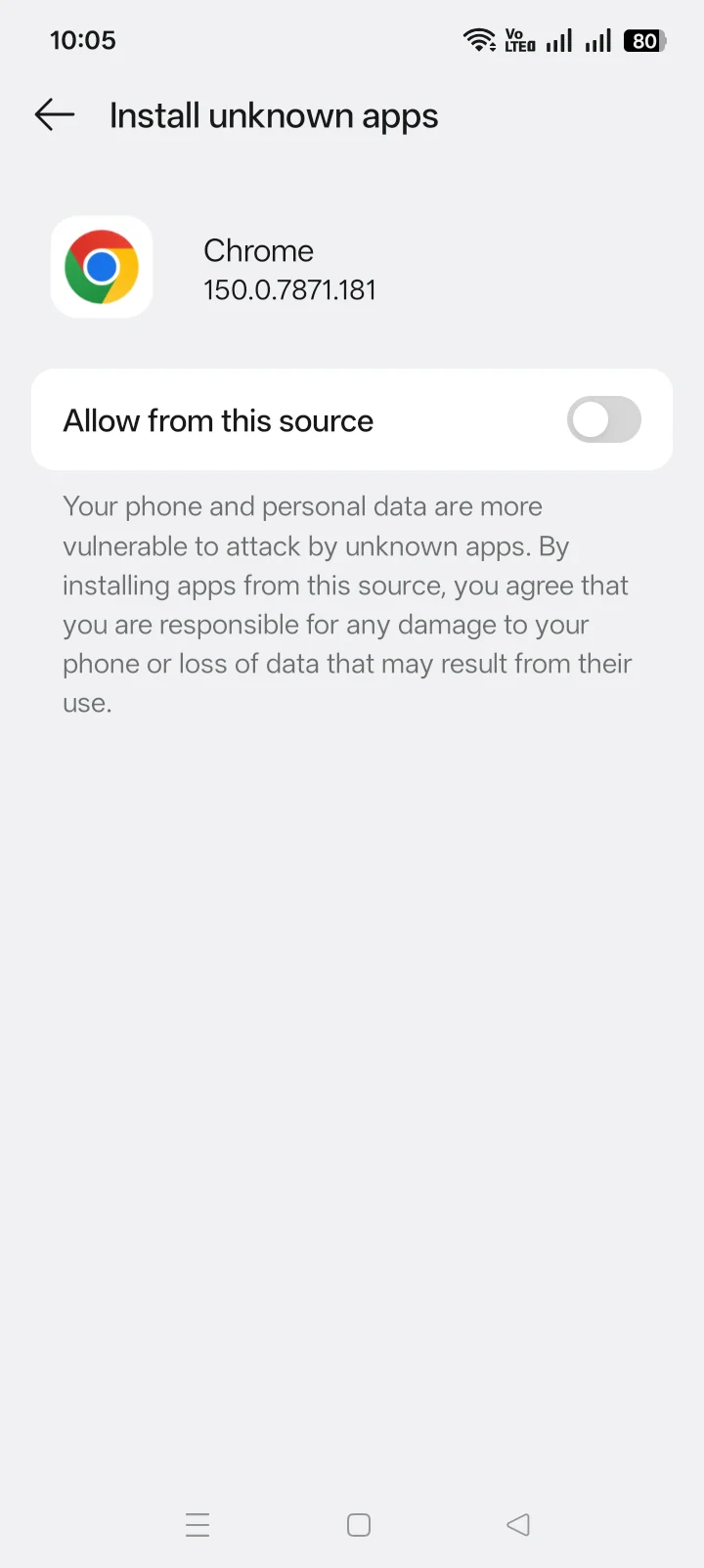
- When Android blocks the install, allow Install unknown apps for that browser or file manager.
- Return to the APK, read the installer name and permissions, then install.
- Turn off that source’s install permission after setup.
- Open Roblox VN before checking whether the VNG interface attaches to the intended client.
Keep Play Protect active, reject unrelated app-install tasks, and deny root access. Those actions do not repair a VNG mismatch.
Can global Roblox and Roblox VN stay installed together?
Yes. Global Roblox and Roblox VN use separate Android package IDs, so Android can keep both applications installed. The 2 icons can look similar, which makes opening the wrong client easy. Confirm the app label before launching the executor.
Keeping both apps also supports Roblox VN Quick Login. Roblox requires the global Roblox app to remain installed and signed in on the same phone for Quick Login to redirect and approve access. Removing global Roblox can therefore break Quick Login even when Roblox VN itself opens normally.
Separate icons into different home-screen folders or rename their shortcuts when the launcher permits it. That small distinction prevents wrong-client launches without changing either package.
Which Roblox account should you use with Delta Executor VNG?
Roblox VN accepts an existing login, but do not use the account that carries your purchases, groups, or established progress. Create a clean account for VNG testing and enter its password only inside the Roblox login flow. Account separation limits loss; it does not prevent detection or make an APK harmless.
Why does the VNG package open the wrong client or fail to connect?
A VNG connection failure has 3 first checks: Roblox edition, Android architecture, and release compatibility. Check those dimensions in that order.
- Roblox edition: confirm Roblox VN and package ID
com.roblox.client.vnggames. A global client needs the standard route. - Architecture: confirm whether the current VNG release supplies the architecture your phone requires. VNG and ARM32 describe different properties.
- Release compatibility: a Roblox client update can temporarily break the matching executor build. Do not replace the VNG package with the global package to bypass that state.
If Android rejects the APK before it opens, return to the parent Android guide and check storage, source permission, download completeness, and package conflicts. Those are Android installation problems rather than VNG-client problems.
Delta Executor VNG FAQ
Is VNG limited to phones inside Vietnam?
No. The deciding factor is the installed Roblox edition. Use VNG with Roblox VN and the standard package with global Roblox.
Can an existing Roblox account sign in to Roblox VN?
Yes. Roblox VN supports existing Roblox accounts. Use a new account for executor testing to keep purchases and important progress separate.
Does VNG mean ARM32?
No. VNG identifies the Roblox regional client. ARM32 identifies a 32-bit processor architecture. A device can require both labels.
Does Delta Executor VNG work on iPhone or Windows?
The VNG route here is an Android APK. Do not treat IPA, Windows, or emulator claims as Android package evidence.
Return to Delta Executor for the app overview and the complete platform map.