
Delta Executor › Troubleshooting › App Not Installed
Delta Executor App Not Installed
“App not installed” means Android rejected the APK, but the words shown beneath or beside that message identify the likely reason. Keep the message visible. Do not remove an installed app or change a device setting until the matching row below points to that step.
For a fresh APK and its published file details, use the Delta Executor download page. A file from another location may have a different package identity, signing certificate, or incomplete download.
Which installation message do you see?
| Android message or condition | Likely cause | Start here |
|---|---|---|
| “Package conflicts with an existing package” | An installed app uses the same package name but has a different signing certificate. | Check the existing-package conflict steps. |
| “Package appears to be invalid,” “problem parsing the package,” or the file will not open | The APK is incomplete, damaged, altered, or not a normal installable package. | Replace the downloaded file. |
| A compatibility message naming the phone or device | The Android version or processor architecture does not match the APK. | Check device compatibility. |
| Installation is not allowed from this source | The browser or file manager opening the APK lacks permission. | Allow that specific source. |
| Insufficient storage | Android lacks working space to unpack and install the app. | Free space, then retry once. |
| No detailed message; the installer freezes or closes | The installer interface or a temporary device process may be stuck. | Restart the phone, then retry the same verified file once. |
How do you fix a package conflict?
Android identifies an app by its package name and signing certificate. The certificate proves which signer built the package. An update can replace an installed app only when those identities match. If the package name matches but the certificate does not, Android blocks the replacement.
- Open Settings → Apps and look for an existing Delta Executor installation or another related package named in the error.
- Open its app information and confirm it is the package causing the conflict. Do not remove an unrelated app with a similar icon or name.
- Preserve any local settings or files that matter. Uninstalling an app can remove its local data.
- Remove the confirmed conflicting installation.
- Return to the current Delta Executor APK and install that file.
If the existing installation contains data that cannot be replaced, stop before uninstalling it. A mismatched signer cannot be repaired by repeatedly tapping Install.
How do you fix an invalid or incomplete APK?
Delete the failed download and obtain a fresh copy. Do not rename the file extension, unpack the APK, or rebuild it with an APK editor. Editing changes the package and normally requires a new signature, which can turn a damaged-file problem into a signing conflict.
After downloading, compare the visible file details with those published on the download page. When a file size or fingerprint is provided there, it must match before installation. A mismatch means the file is not the same release and should not be installed.
If Android says the file cannot be opened, launch it from the completed downloads list or a file manager. A partial browser download, an HTML page saved with an APK name, or a split-package component cannot be installed as a normal standalone APK.
How do you check device compatibility?
Compatibility has two separate parts: the Android release and the processor architecture. Architecture describes the instruction set used by the phone’s processor, such as 64-bit ARM or 32-bit ARM. An APK built for a different architecture can be rejected even when enough storage is available.
- Open Settings → About phone and note the Android version.
- Check the supported Android versions and package variants shown on the download page.
- If the phone uses 32-bit ARM, choose the listed ARM32 build when one is available. Do not assume a standard build supports the device.
Use the Delta Executor download page for Android requirements and package selection. An incompatible package cannot be fixed by clearing cache or granting more permissions.
How do you allow the correct source?
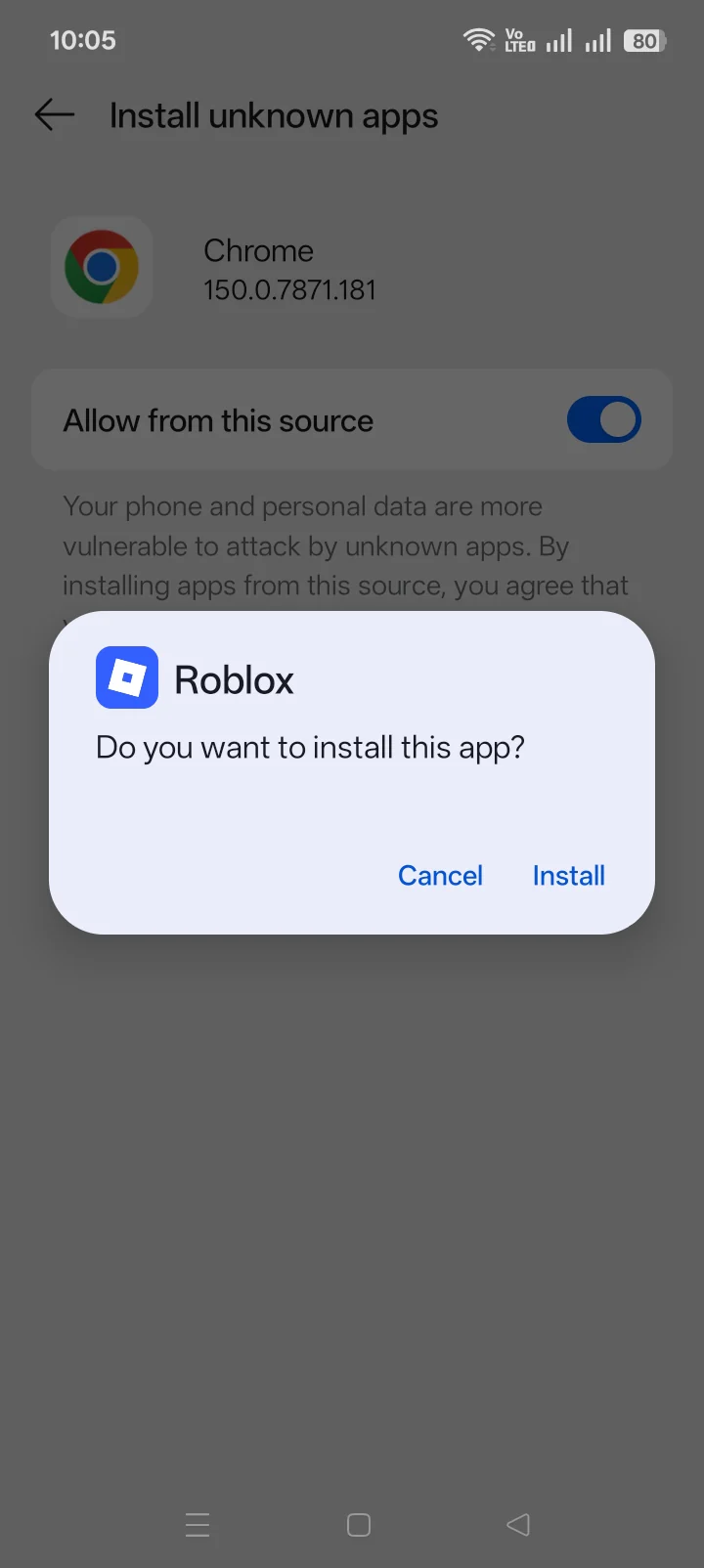
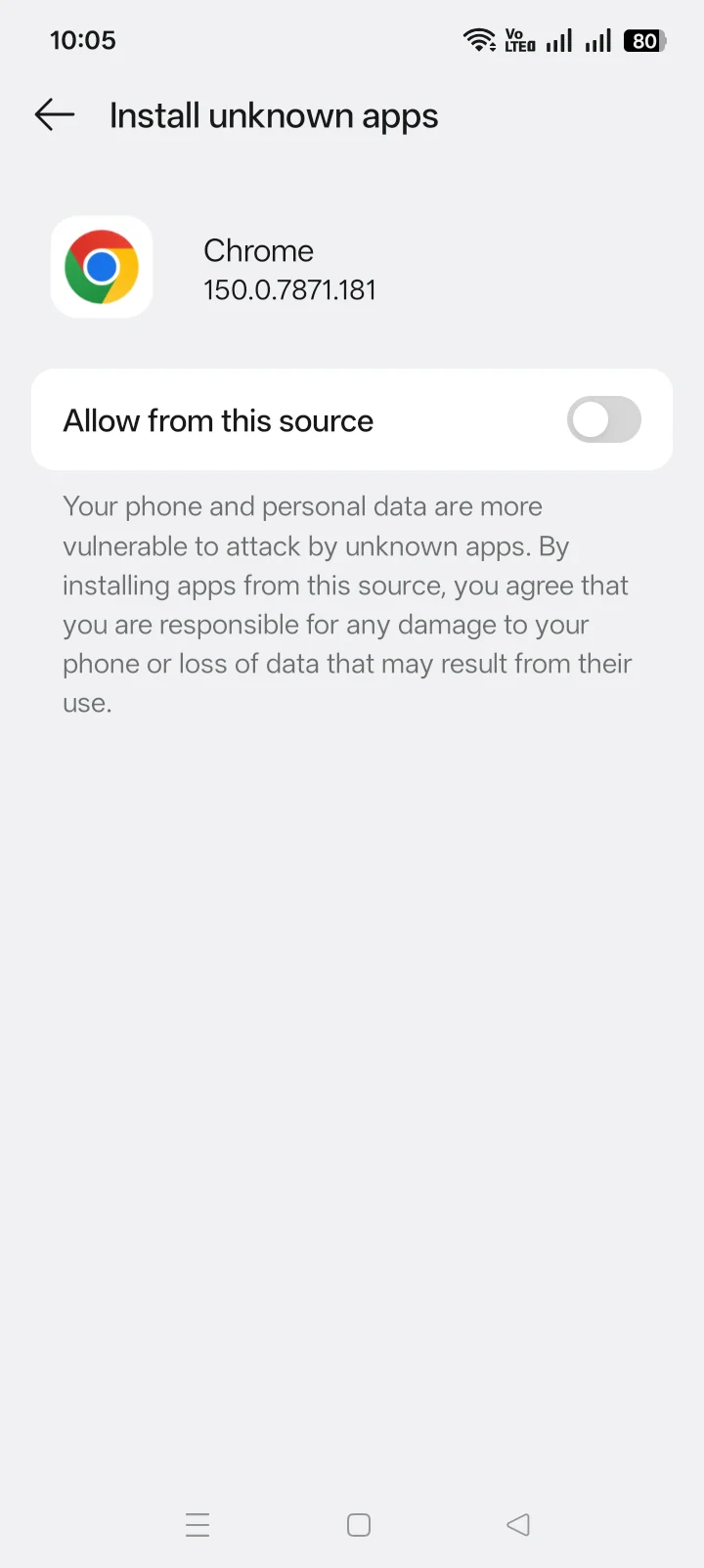
Modern Android grants APK installation permission to the app opening the file. If Chrome downloaded the APK but Files opens it, Files may need permission rather than Chrome.
- Tap the settings option shown in Android’s blocked-install message.
- Select the browser or file manager that is opening the APK.
- Allow installation from that source, return to the APK, and retry.
- Turn the permission off again when the installation is complete if it is no longer needed.
Menu names differ across Samsung, Xiaomi, OnePlus, Pixel, and other Android devices. Use the prompt Android opens instead of following a menu path for a different phone.
What if storage or the installer is the problem?
The phone needs more free space than the APK’s displayed size because Android must copy, unpack, optimize, and stage the app. Remove unneeded downloads or move personal media. Restart the phone after freeing space, then make one clean installation attempt.
Clearing Package Installer storage is not a universal fix. It cannot repair an invalid APK, change processor support, or resolve a certificate mismatch. Consider it only when a verified, compatible file reaches the installer but the installer itself repeatedly freezes.
Should Play Protect be changed?
Keep Play Protect active. A Play Protect warning is a security decision, while “package conflicts,” “invalid package,” and “not compatible” are Android installation conditions. Treat the message that is actually displayed instead of weakening a security control for an unrelated cause.
If Android or Play Protect blocks the file on security grounds, stop and confirm the file against the size, fingerprint, signer, and scan information published with the download.
What should you avoid?
- Do not use an APK editor to bypass a package error.
- Do not uninstall apps until a package conflict is confirmed.
- Do not keep retrying a partial or mismatched file.
- Do not change unrelated security settings for a compatibility error.
- Do not copy a version number or file from an unrelated source.
Frequently asked questions
Why does Delta Executor say “App not installed” after an update?
An older installation may use the same package name with a different signing certificate, or the new APK may not match the device. Read the detailed Android message before removing the previous installation.
Will clearing cache fix the error?
Only a stuck installer interface may benefit. Cache changes do not fix a damaged APK, certificate conflict, unsupported Android release, or wrong processor architecture.
Can the APK be installed over an older version?
Yes, when the package name and signing certificate match and the new build supports the device. Android blocks an in-place update when those identities differ.
Where should the replacement APK come from?
Use the site’s download page so the package can be checked against the file details published with the release.
For the broader product path, return to the Delta Executor homepage.